Choose
Select WebP images or drop them onto the queue. The page checks the RIFF container and rejects empty, damaged, or animated files.
Kivoza image tools · WebP
Convert static WebP images in this browser tab. Your originals stay on your device, and no account is needed.
Drop a few in
Static WebP only. Animation is detected and reported before decoding.
or browse your device. We check the content before decoding.
Up to 8 files · 20 MB each · 40 megapixels each · 64 MB per batch · 2 conversions at once
JPG cannot contain transparency, so transparent pixels use a white background. PNG keeps alpha when the browser decodes it. Both outputs are canvas re-encodes; metadata, color profiles, and original losslessness are not promised.
A short path
Select WebP images or drop them onto the queue. The page checks the RIFF container and rejects empty, damaged, or animated files.
Your browser's native WebP decoder draws the static image to a local canvas. JPG quality is applied only to JPG output.
Preview each result, download one file, or package the successful results into a ZIP created in this tab.
Know the edges
The limits keep browser decoding predictable on laptops and phones. The converter runs at most 2 files at once. Available device memory still affects unusual or demanding files.
JPG is widely accepted and usually smaller for photographs. PNG is useful for transparent pixels or crisp graphics. JPG output always uses a white background.
This first version converts one static WebP image per file. It does not promise metadata, color-profile retention, animation, or source-byte losslessness.
Empty files, damaged RIFF containers, renamed non-WebP files, animated WebP, unsupported browser decoding, and size limits are reported per file.
A real workflow
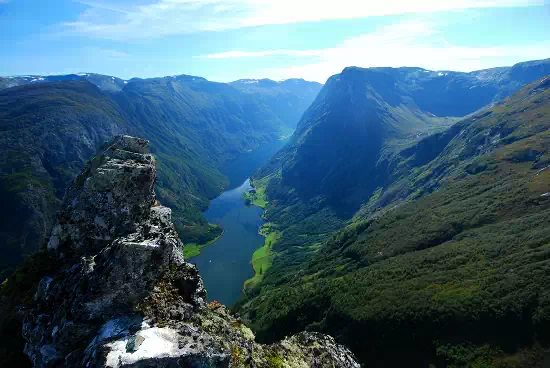
gallery-1.webpGoogle's WebP gallery sample is 30,320 bytes at 550 × 368. The queue reports the name, input size, dimensions, and ready status before conversion.
gallery-1.jpgAt JPG quality 88, the same 550 × 368 sample produced a 56,195-byte JPEG. Quality 60 produced 27,170 bytes and quality 100 produced 200,896 bytes; browser and content affect the result.
No. Validation, native decoding, canvas conversion, previews, and ZIP creation happen in this browser tab. The app has no image upload or remote conversion endpoint.
No. The page checks WebP animation flags and animation chunks before decoding, then reports that animated WebP is not supported. It does not silently export one frame as a complete conversion.
JPG has no alpha channel. Before encoding JPG, the converter places a white background under transparent pixels. Choose PNG when you need transparency.
The file may be empty, damaged, animated, over a limit, a renamed non-WebP file, or unsupported by the browser's native decoder. Other queue items can finish, and the failed item has Retry.